
Why UK Schools Are Moving to Cloud Printing
Cloud printing for schools has moved from a nice-to-have to a sensible default. As multi-academy trusts standardise IT across sites, and as the Department for Education pushes schools towards cloud-first infrastructure, the old model — a print server humming in a cupboard, queues that break when the network blinks, drivers pushed out by hand — is quietly being retired. This guide is for school business leaders, IT leads and MAT operations teams weighing up the switch.
The promise is straightforward: fewer servers to maintain, tighter control over who prints what, lower running costs and a print estate that maps cleanly onto the DfE digital and technology standards. The detail is where it gets useful — and that is what this article covers, from how cloud print management actually works to the safeguarding and data protection points that catch schools out.
What cloud printing for schools actually means
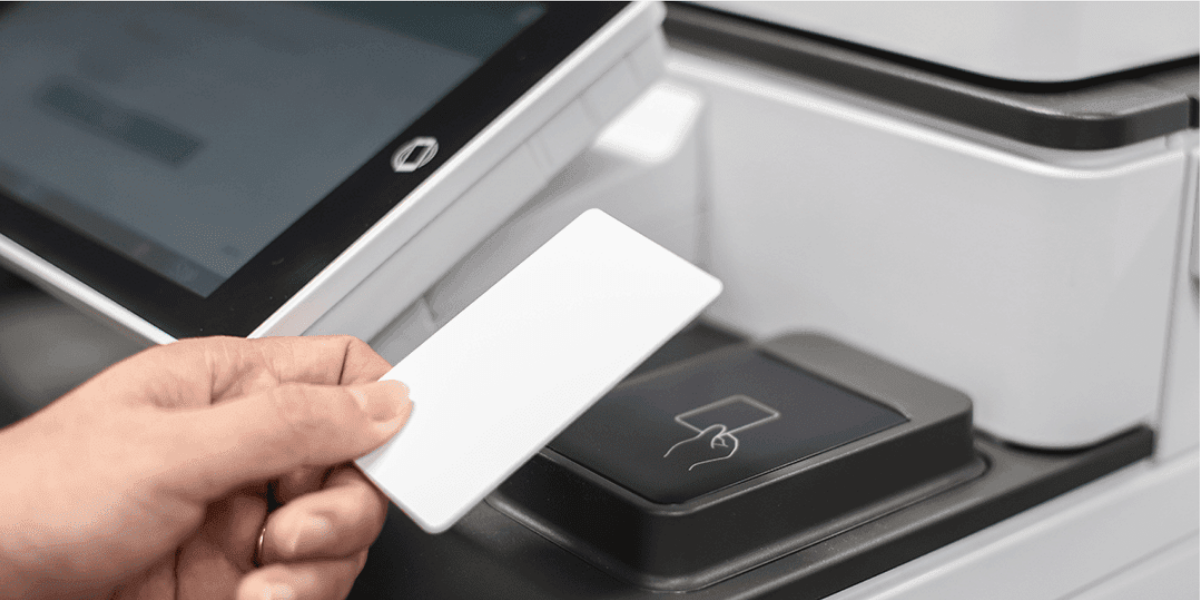
Cloud printing routes print jobs through a hosted service rather than an on-site print server. A pupil or member of staff sends a job from any device — a managed laptop, a Chromebook, a personal phone — and it is held securely in the cloud until they release it at a device, usually by tapping an ID card or entering a PIN. There is no local print server to patch, back up or replace, and no need to keep printer drivers synchronised across every machine on the network.
This sits squarely within the direction the DfE has set. Its cloud solutions standard for schools and colleges is explicit that schools should use cloud solutions in place of on-premises servers where practical, while noting that some systems — door access, building management, cashless catering — may still need local infrastructure. Print is one of the easier wins: it is well-suited to a hosted model and rarely needs to stay on-site.
Where most schools start. The trigger is usually a failing print server, an expiring lease, or a MAT centralisation project. Rather than buy another server, schools take the opportunity to move print to the cloud — and often consolidate three or four legacy contracts across sites into one managed agreement at the same time.
Why schools are switching now
Three pressures are converging: budgets are tight, the DfE standards have a 2030 horizon, and cyber risk in education is rising. The 2025 Cyber Security Breaches Survey found that 60% of secondary schools and 44% of primary schools reported a breach or attack in the previous year — a reminder that print, which handles pupil and staff personal data, cannot be treated as an afterthought.
Cyber incidents
60%
of secondary schools reported a breach or attack in the past year (Cyber Security Breaches Survey 2025).
DfE target
2030
the date by which schools and trusts are expected to meet the core digital and technology standards.
Servers retired
Zero
on-site print servers needed under a fully cloud-based print model.
The four principles behind the move
Lose the print server
No local server means no patching, no annual replacement cost and one less single point of failure on the network. The DfE explicitly favours this shift.
Control who prints, and what
Secure print release holds jobs until the right person authenticates at the device. That cuts waste and keeps confidential documents off the output tray.
See the real costs
Per-user and per-device reporting shows exactly where colour and volume are being consumed — across one school or an entire trust.
Standardise across sites
One platform, one policy set, one supplier. For a MAT, that means consistent rules and a single view of print whether you run two sites or twenty.
The benefits, broken down
It is worth separating the operational gains from the financial ones, because they land with different people. IT cares about removing the server and simplifying support; the business manager cares about predictable, lower spend. Cloud printing delivers on both, but the case is strongest when you look at them together.
Operational gains
No print server to maintain or back up. Driver management handled centrally. Print follows the user to any enabled device, so a teacher can release a job at whichever printer is nearest. New starters and leavers are handled through ID and access management rather than manual driver installs.
Financial gains
Secure release alone typically removes a meaningful slice of uncollected print. Colour can be restricted by user group or capped by allowance. Consolidating site-by-site contracts into one agreement removes duplicated admin and sharpens the cost-per-page you actually pay.
For a fuller treatment of where the money goes, our guide to managed print cost savings breaks down the levers in detail, and our explainer on what a managed print service costs in the UK is a useful companion when you are building a business case.
Cloud printing and the DfE digital standards
The DfE's digital and technology standards group requirements into categories, with cloud solutions and cyber security among them. Print sits at the intersection of several. Mapping your print project against the relevant standards makes the compliance story easy to evidence at inspection or trust-board level.

The DfE expects schools and trusts to be working towards the core digital and technology standards, with cloud solutions and cyber security among the priority categories.
| DfE standard area | How cloud printing supports it |
|---|---|
| Cloud solutions | Replaces an on-premises print server with a hosted service, in line with the DfE's preference for cloud over local servers where practical. |
| Cyber security | Adds authenticated print release, encrypted job transmission and an auditable record of who printed what and when. |
| ID and access management | Ties print rights to a central identity, so access is granted and revoked through the same joiner/leaver process as other systems. |
| Data backup | Removes a local server from the backup regime; the hosted platform's retention policy should still be assessed for suitability. |
Why this matters. The DfE expects schools to seek assurance from any cloud provider in consultation with their data protection lead. Print is no exception — pupil names, reports and safeguarding documents pass through the print path, so the platform's data handling needs the same scrutiny as any other cloud service.
The safeguarding and data protection angle
Print is a data flow, and in a school that flow includes special category and child data. Two things deserve attention. First, secure print release prevents sensitive documents — pupil records, SEND paperwork, safeguarding notes — sitting unattended on a shared MFD. Second, the audit trail that cloud platforms produce supports your accountability obligations under UK GDPR and your wider IT controls, giving you a record of access that a paper tray never could.
This is also where filtering and monitoring expectations meet print. Schools already monitor digital activity to keep pupils safe; a cloud print platform extends that visibility to the print estate, so unusual or inappropriate print activity can be spotted and reviewed rather than going unrecorded.
Practical controls, ordered by impact
- Secure print releaseHold every job until the user authenticates at the device.
- Central identityLink print rights to your existing single sign-on or directory.
- Colour and volume rulesRestrict colour by group; cap allowances where it makes sense.
- Encrypted transmissionEnsure jobs are encrypted in transit and at rest.
- Audit reportingKeep a reviewable record of print activity per user and device.
- Device hardeningChange default admin passwords and disable unused MFD services.
If you want to go deeper on the security model behind release-based printing, our piece on zero trust printing security explains the principle of trusting no job until it is authenticated.

Common mistakes to avoid
The technology is mature, but the projects that disappoint usually share the same avoidable errors. These are the ones we see most often in school and MAT print migrations.
- Treating it as an IT-only project. Print policy is a business and safeguarding decision too. Leaving the business manager and DSL out of the design leads to rules that do not stick.
- Ignoring broadband dependency. Cloud print relies on your connection. If broadband is marginal, address that first — the DfE links cloud performance directly to network capacity.
- Skipping the data protection assessment. Print carries pupil data. Not assessing the provider's data handling and retention is a gap an auditor will find.
- Buying brand-first. Choosing hardware before defining the requirement locks you into the wrong fleet. Define the need, then fit the device.
- Forgetting the leaver process. If print rights are not revoked when staff leave, your access controls have a hole in them.
How Syncro helps schools make the switch
Syncro is brand-independent. We work across Canon, Konica Minolta, Epson and Sharp, and the right hardware is whatever fits the school — the size of the site, the volumes, the budget and the existing estate — rather than whatever we happen to be selling. Our managed print service pairs that hardware with a cloud print platform, so you get secure release, central control and per-user reporting without an on-site server to look after.
For schools, that independence matters. A two-form-entry primary and a large secondary on a single trust network have genuinely different needs, and a fixed allegiance to one manufacturer tends to force compromises. Where a specific brand does lead — for example, robust high-volume devices for a busy reprographics room — we will say so, and explain why. The starting point is always a review of what you actually print, followed by a recommendation shaped by what fits.
Cloud print also rarely travels alone. Many of the schools we work with are reviewing print alongside their wider IT solutions and, increasingly, their hosted telephony as the old phone lines are switched off. Looking at these together avoids duplicated effort and gives the trust one coherent technology roadmap.
Book a free school print review
We will map your current print estate against the DfE standards, show you where the savings and risks sit, and recommend a cloud print approach shaped around your school or trust — with no obligation.
Arrange your review Or call 0300 124 0975Frequently asked questions
Do we still need a print server with cloud printing?
No. A fully cloud-based print model removes the local print server entirely — jobs are held in the hosted platform and released at the device. This aligns with the DfE's preference for cloud solutions over on-premises servers, though some other school systems, such as door access or cashless catering, may still need local infrastructure.
Is cloud printing secure enough for pupil data?
Yes, when set up correctly. Secure print release keeps documents off the output tray until the user authenticates, jobs are encrypted in transit and at rest, and the platform produces an audit trail of activity. As with any cloud service, you should assess the provider's data handling and retention in consultation with your data protection lead.
How does cloud printing reduce our costs?
The main levers are removing uncollected print through secure release, restricting or capping colour by user group, retiring the print server and its replacement cost, and consolidating site-by-site contracts into a single agreement. Per-user reporting then shows where remaining spend sits so you can refine the rules.
Will it work with Chromebooks and personal devices?
Yes. Cloud print platforms are designed to accept jobs from a wide range of devices, including managed laptops, Chromebooks and personal phones, with print rights controlled through a central identity. This makes it well-suited to schools running mixed device estates.
What happens to printing if our internet goes down?
Because cloud print depends on your connection, broadband resilience matters. The DfE links cloud performance directly to network capacity and reliability, so we assess your connection as part of any review and, where needed, recommend addressing broadband or backup connectivity before migrating.
Can a multi-academy trust manage all sites from one place?
Yes. A single cloud platform lets a trust apply consistent print policy, manage access centrally and see print activity across every site from one dashboard — whether the trust runs two schools or twenty.